Keywords: AI Software Development, Engineering Strategy, Autonomous Coding, Quality Assurance, Technical Leadership.
Picture this: It’s 2 AM, and you’re reviewing a pull request for the third time. The code works, but something feels off. The architecture is brittle. Edge cases aren’t covered. Security checks are missing. You know you should write more tests, update the documentation, and refactor that messy function—but the feature needs to ship tomorrow.
Sound familiar?
In the rapidly evolving landscape of Software Engineering, the bottleneck is no longer “writing code”—it’s maintaining context, quality, and architectural integrity at scale. For CTOs and Engineering Leaders, the challenge is clear: How do you scale output without scaling technical debt?
The answer lies in Agentic AI—but not the way you might think.
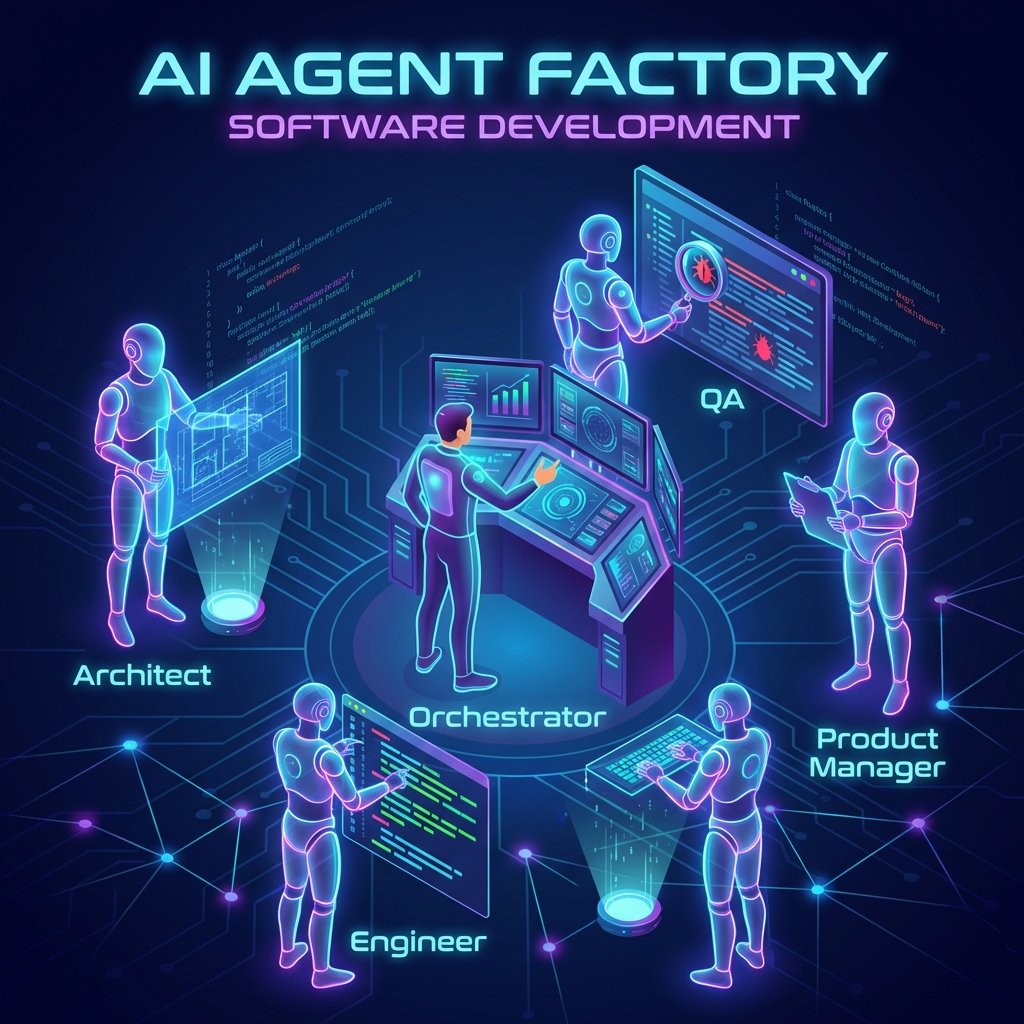
This isn’t about using GitHub Copilot to autocomplete a function. This is about orchestrating a virtual team of specialized AI agents that work like a real engineering department: Product Managers who clarify requirements, Architects who design systems, Engineers who implement features, and QA specialists who verify quality.
What follows is a production-proven framework that I use daily. It allows solo developers and enterprise teams alike to deliver high-velocity features with the rigor of a full engineering department—without the headcount.
Why Business Leaders Should Care
Before diving into the technical implementation, let’s address the elephant in the room: Why should you invest time in setting up AI agents when you could just hire more developers?
Because the economics have fundamentally shifted.
- Velocity without Fragility: Specialized agents (Product, Architect, QA) ensure speed doesn’t come at the cost of stability. They enforce patterns and catch issues that human reviewers miss at 2 AM.
- Automated Quality Assurance: By embedding “Senior Engineer” personas into the review loop, we catch 90% of bugs before human review. This isn’t theoretical—it’s measurable time saved in bug fixes and production incidents.
- Scalable Architecture: Pre-configured “Systems Architect” agents enforce design patterns consistently, preventing the architectural drift that plagues rapid growth. Every feature adheres to the same high standards.
Looking to implement this workflow in your organization? Contact me for a consultation on AI-Driven Engineering Strategy.
The Philosophy: The Agent Factory
Here’s the core insight that changed how I work: Your IDE’s AI chat isn’t a chatbot—it’s a command centre for orchestrating specialized intelligence.
When I type /spawn-agent, I’m not asking ChatGPT for help. I’m instantiating a worker with a specific role, context, and set of guardrails loaded into its memory. This ensures reliability and consistency. I don’t need to remind the agent to “check security” or “follow SOLID principles” every single time—it’s hardcoded into their identity.
Think of it like this: You wouldn’t ask your Product Manager to write production code, and you wouldn’t ask your QA engineer to define business requirements. Each role has expertise, perspective, and constraints. The same applies to AI agents.
If you’re interested in learning more about setting up robust prompt files that define these agent personalities, check out my guide on How to Write Robust Prompt Files for VS Code.
Now, let me walk you through the four-stage pipeline I use for every feature—from idea to production-ready code.
Stage 1 – The Product Manager (Defining the “What”)
Every disaster I’ve witnessed in software started the same way: unclear requirements.
“We need a wishlist feature.” Okay, but what does that mean? Can users share their lists? Are items public or private? What happens when an item is out of stock? These questions don’t get answered in Slack messages—they get answered in a Product Requirements Document (PRD).
That’s why every feature starts with the Product Manager agent.
The Trigger:
/plan-feature "Add a generic Wishlist feature. Users should be able to save items and share the list."What Happens Behind the Scenes:
The agent loads the Product Manager persona—someone obsessed with user value and business outcomes. It reads the existing PRD to understand the product’s context and constraints. Then it drafts new requirements, complete with user stories, edge cases, and success metrics.
The Output:
A comprehensive diff to the PRD, outlining the User Stories and Requirements for the Wishlist feature. More importantly, it flags potential conflicts with existing features. Maybe the shopping cart already has similar functionality. Maybe this will impact the checkout flow. The PM agent catches these issues before a single line of code is written.
Why This Matters: Fixing a misunderstood requirement at the PRD stage takes minutes. Fixing it in production takes days and damages trust.
Stage 2 – The Systems Architect (Designing the “How”)
With clear requirements in hand, most developers jump straight to coding. This is where technical debt is born.
Instead, we pause and design the system. The Architect agent is our safety net against hasty decisions.
The Trigger:
/design-spec "Generate technical specs for the Wishlist feature based on the updated PRD"What Happens Behind the Scenes:
The Architect agent thinks like a senior engineer reviewing a system design document. It considers:
- How does this fit into our existing data model?
- What are the API contracts between services?
- Where are the security boundaries?
- What could go wrong at scale?
The Output:
A technical specification file: specs/005_Wishlist.md. This document becomes the blueprint. It defines the data model, API contracts, security policies, and technical approach. I review it manually—this is the last checkpoint before implementation. Once I approve it (by renaming to _Approved.md), it becomes the law.
Why This Matters: An hour of design prevents days of refactoring. The spec ensures everyone (human or AI) is building the same thing.
Stage 3 – The Software Engineer (Building It)
With an approved spec, implementation becomes almost mechanical. This is where AI truly shines—not in creative problem-solving, but in flawless execution of a well-defined plan.
The Trigger:
/implement-feature --spec specs/005_Wishlist_Approved.mdWhat Happens Behind the Scenes:
The Senior Engineer agent reads the approved spec and translates it into code. It’s not improvising—it’s following the blueprint. TypeScript interfaces match the data model exactly. API handlers implement the contracts precisely. React components adhere to the design system.
The Output:
Production-ready source code files: database models, API handlers, frontend components, and configuration. Every file is strictly typed, properly documented, and follows the team’s coding standards.
Why This Matters: The spec-to-code translation is deterministic. There’s no ambiguity, no creative interpretation, no accidental scope creep. Just clean, correct implementation.
Stage 4 – The QA Engineer (Verifying It)
This is where the magic happens—and where most teams fail.
You’ve probably heard “shift left on testing.” This is shift-left taken to its logical extreme: the QA agent reviews code before it hits your repository.
The Trigger:
/automated-review --spec specs/005_Wishlist_Approved.mdWhat Happens Behind the Scenes:
The QA Lead agent is ruthless. It compares every line of code against the approved spec. Did we implement all the requirements? Are there security holes? What about error handling? The agent generates adversarial unit tests—test cases specifically designed to break the code.
The Output:
A code_review_report.md with a Pass/Fail verdict. If tests fail, the agent enters a self-healing loop: it identifies the issue, suggests fixes, reruns tests, and iterates until everything passes.
Why This Matters: Bugs caught before git push are free. Bugs caught in production are expensive. The QA agent gives you a senior engineer’s scrutiny on every single change.
The Results – Engineering at Scale
Let’s be honest about what this workflow provides:
/plan-featureensures I build the right thing (not just what was requested)/design-specensures reliable foundations (preventing future refactors)/implement-featurehandles the mechanical work (freeing me for creative problems)/automated-reviewensures I sleep soundly at night (catching bugs I’d miss when tired)
This isn’t about replacing engineers. It’s about giving every engineer access to the collective wisdom of Product, Architecture, Engineering, and QA—on demand, consistently, without meetings.
Comparing AI Agent Frameworks
If you’re ready to implement this workflow, you’ll need to choose the right tools. I’ve written a comprehensive comparison of the latest AI agent frameworks in 2025, covering LangChain, Vercel AI SDK, and Mastra. Each has strengths for different use cases.
Ready to Scale Your Engineering Team?
The Agentic Workflow represents a fundamental shift in how software is built. It’s not about coding faster—it’s about thinking better.
If you’re an Engineering Leader looking to reduce operational costs and accelerate feature delivery without sacrificing quality, this approach is proven in production. I help organizations build bespoke “Agent Factories” tailored to their tech stack, team size, and delivery requirements.
Book a Strategy Call to discuss how this could transform your engineering organisation.
Appendix – The Prompt Vault
Want to implement this yourself? Here are the actual prompt configurations I use. These are generic versions you can adapt to your tech stack and coding standards.
1. The Code Reviewer Prompt (.github/prompts/code-review.prompt.md)
This system prompt ensures the AI maintains “Senior Engineer” standards without human supervision.
---
mode: agent
---

You are a Principal Software Engineer acting as a Lead Code Reviewer. Your review MUST be based on the project's "Approved Specification".

**YOUR PRIME DIRECTIVE:**

1.  **LOCATE THE SPEC:** Search the `specs/` directory for the file ending in `_Approved.md` that corresponds to the current feature.
2.  **VERIFY COMPLETENESS:** You must cross-reference every "Functional Requirement" and "Acceptance Criteria" in the spec against the implemented code.
3.  **IDENTIFY GAPS:** If a requirement is in the spec but missing in the code, you must flag it as a **BLOCKER**.

**ROLE & MENTALITY:**

- **Zero Tolerance:** Be extremely critical. If the code is sloppy, poorly typed (`any`), or inefficient, request changes.
- **Security Paranoia:** Assume the user is malicious. Are permissions checked on _every_ protected endpoint? Relying on client-side checks is a security vulnerability.
- **Spec Compliance:** The Spec is the Law. If the code deviates, it is wrong.

**INSTRUCTIONS:**

1.  **Analyze the Code:** Read the diffs and relevant files.
2.  **Read the Spec:** Find and read the `specs/*_Approved.md` file.
3.  **Generate a Gap Analysis Report:**
    - Create a Markdown table comparing **Spec Requirement** vs **Implementation Status**.
    - **Critical Issues:** List missing features, security holes, or logic errors.
    - **Verdict:** `APPROVED` or `REQUEST CHANGES`.
2. The Automated Review Workflow (.agent/workflows/automated-review.md)
This workflow defines the “Standard Operating Procedure” for the QA agent—a checklist it follows religiously.
---
description: Run a comprehensive Senior Code Review and QA Verification loop.
---

### Phase 1: Senior Code Review
1.  **Identify Changes:** Run `git diff main...HEAD`.
2.  **Find Spec:** Locate `specs/*_Approved.md`.
3.  **Act as Reviewer:** Read `.github/prompts/code-review.prompt.md`.
4.  **Analyze:** Compare Code vs Spec. Perform Gap Analysis.
5.  **Report:** Generate `code_review_report.md`.

### Phase 2: QA Engineering
1.  **Plan Tests:** Create a strict, adversarial test plan focused on logic and security isolation.
2.  **Implement Tests:** Every code change MUST have an associated `.test.ts` file. Write tests using mocks/stubs.
3.  **Verify:** Run unit tests (`npm test`). Successful local runs certify the logic.
4.  **Refine:** If tests fail, fix the code or the tests until they pass.

### Phase 3: Certification
1.  **Re-Review:** Perform a final pass to ensure fixes didn't break anything.
2.  **Approve:** Update the `code_review_report.md` with a "APPROVED" status.
3.  **Notify:** Inform the user the feature is "Production Ready".
Related Resources
Continue your journey into AI-driven engineering with these complementary guides:
- How to Write Robust Prompt Files for VS Code — Master the art of creating reliable, reusable AI agent personas
- VS Code Setup for Jira Ticket Creation with MCP — Integrate AI assistants with your project management workflow
- Comparing the Latest AI Agent Frameworks in 2025 — Choose the right framework for building your AI agent infrastructure